Classroom
AI for Teachers
Lesson, rubric, and a parent note before you leave.
Anyone can use this page. Copy the prompt and try it today.
$7.99
A page inside
Classroom
Lesson, rubric, and a parent note before you leave.
Anyone can use this page. Copy the prompt and try it today.
$7.99
A page inside
You may be reading this after a long day. A lesson is not done. A rubric needs work. A family is waiting for a reply.
This book helps you get a first draft. It does not ask you to hand over your judgment.
You know what your students learned. You know the room, the time, and the school rules. A chat tool knows none of that unless you tell it. Even then, it can guess.
Use it to get past a blank page. Then check every useful line. Change what does not fit. Remove what is wrong.
Start with one job. That is enough.
With care,
Everyday AI
This is a short guide for finishing one teaching job with help from an AI chat.
You can use ChatGPT, Claude, Gemini, or another tool approved by your school.
The tool makes a draft. You make it teachable.
It must not decide a grade, invent a school rule, or replace student thinking. It must not receive private student details.
Stop here. Choose one job. You do not need to try every page tonight.
Prompt: The words you type into an AI chat. It can be a plain request.
Copy box: The cream-colored box in this book. Copy its words, then replace anything inside square brackets.
Paste: Put copied words into the chat. On a phone or iPad, press and hold in the message area. Tap Paste.
Check: Read the answer and compare it with what you know. Check facts, time, directions, math, and school rules.
Official app: The real app or website from the company. Avoid look-alike apps. Use only tools your school allows.
Never put passwords into a chat. Do not paste names, grades, private plans, medical facts, or a story that makes a student easy to identify.
Stop here. When unsure, leave it out.
You are making the request safe before it leaves your device.
Marcus has a behavior note on his screen. It includes a name, a reading score, and part of a private student plan. He does not paste it.
Instead of writing about one child, Marcus writes, “Some students need shorter directions and a chance to hear them aloud.”
Watch out: A story can identify a student even when the name is gone.
Stop here. If a coworker could name the student, remove more.
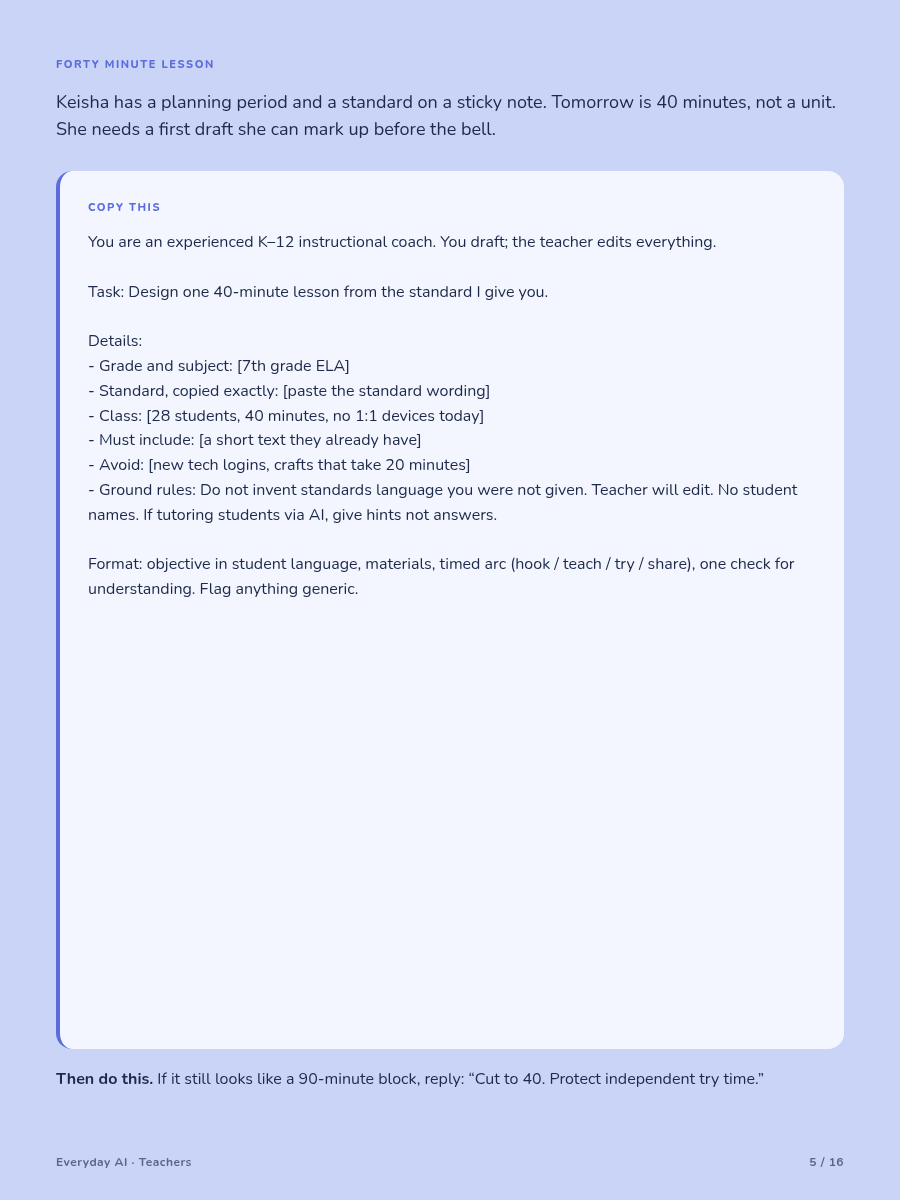
You are making a first draft for one class period.
Elena has a standard, a half-finished slide deck, and forty minutes tomorrow. The first plan includes a video and four stations. She has no devices and no time for four stations.
COPY THIS
Do not: Add devices, homework, standards, or skills I did not name.
Next: Cross out one part that is not needed. Include time for directions and movement.
You are checking what students understood today.
Luis taught slope in a rush. He needs three short questions. He does not want a small test on work the class has not learned.
COPY THIS
Do not: Claim that one answer proves what a student can or cannot learn.
Next: Complete the ticket without looking at the key. Fix any untaught step.
You are making the work easier to enter, not easier to avoid.
Elena has a science task about food webs. One draft turns the supported version into matching words. The main task asks students to explain. Matching does not show the same learning.
COPY THIS
Do not: Make student profiles or assign a path to a named group.
Next: Underline the thinking word in every version. Revise any version that changes it.
You are drafting a short message from facts you can confirm.
Elena needs to explain why homework changed. She has one missing detail and does not want the chat to fill it in.
COPY THIS
Do not: Invent policy, dates, promises, motives, or student behavior.
Next: Match every sentence to a fact. Change the words until they sound like you.
You are turning broad goals into things you can see in student work.
Elena’s old rubric rewards “deep understanding.” That sounds fine, but it does not tell her what to look for on the page.
COPY THIS
Do not: Add a requirement that was not in the assignment.
Next: Try scoring one short sample. Merge rows that punish the same problem twice.
You are writing directions a visitor can follow without guessing.
Marcus wakes up sick. His note says, “Continue yesterday’s work.” A substitute does not know what that means or where the blue bin is.
COPY THIS
Do not: Invent logins, behavior systems, seating rules, or material locations.
Next: Replace words such as usual and as before with clear directions.
You are making a short word list that stays true to your source.
Elena gets a list with twenty-two terms. One simple example is also wrong. A short list is useful only when it is accurate.
COPY THIS
Do not: Invent dates, quotes, people, laws, or history.
Next: Compare every line with the source. Clear but wrong is still wrong.
You are writing questions that let students form and defend ideas.
Marcus’s last questions pointed toward the answer he wanted. Students soon stopped exploring the story.
COPY THIS
Do not: Invent quotes or page numbers. Do not give away a theme.
Next: Think of two sound answers to each open question. Rewrite questions that allow only yours.
You are exploring general layout choices, not making a decision for one student.
Elena wants to place fewer quiz items on each page. She will not paste a private plan. She will check every change against the approved plan and school process.
COPY THIS
Do not: Guess a disability, legal need, or support for a person.
Next: Compare the draft with the approved plan. Ask the right school professional when unsure.
You are reviewing a draft quiz before students see it.
Marcus receives ten neat algebra questions. One has no valid answer. Another has the wrong sign in the key. Clean pages can still hold errors.
Watch out: A chat can state a wrong answer with complete confidence.
Never place unreviewed AI questions into a live quiz or exam. Do not ask students to paste live exam material into a chat.
Stop here. If you cannot inspect every item, use fewer items or write the quiz another way.
You are asking for one clear change instead of starting over again and again.
Elena dislikes the first lesson draft. She asks for a new answer three times. The wording changes, but the real problem stays.
COPY THIS
Do not: Keep arguing with a chat about school rules or a student need.
Next: Use the official source when the answer depends on policy, law, or an individual plan.
You are choosing the next real deadline, not every possible use of AI.
Marcus has six tabs open. He closes five and writes the next deadline on paper.
Choose the lesson page when class starts soon. Choose the exit ticket when you need quick evidence. Choose the family note when someone needs a reply. Choose the rubric page before a stack of work arrives.
You may save a blank template with class length and rubric level names. Use an approved place. Do not save names, grades, private plans, or student stories.
Watch out: More drafts than you can inspect means more chances for a quiet error.
Stop here. One finished item is better than six unchecked drafts.
You are giving the draft its final teacher check.
Elena removes a clever hook because she lacks the supplies. She changes an example her class will not know. She adds two minutes for directions. She rewrites the last question because it checks the wrong skill.
Those changes are the work. They are not a small cleanup step.
Keep one visible teacher mark on every draft. It may be a correction, a cut, a timing change, or a source check.
Watch out: Familiar is not the same as checked.
Stop here. If you made no changes, read it one more time before sharing it.
These sources support the safety and learning notes in this book.
UNESCO. Guidance for Generative AI in Education and Research. 2023.
A guide to privacy, human oversight, age, and responsible use in education.
https://unesdoc.unesco.org/ark:/48223/pf0000386693
OpenAI. Introducing Study Mode. July 29, 2025.
Explains a design based on guiding questions, steps, reflection, and feedback.
https://openai.com/index/chatgpt-study-mode/
OpenAI. New tools for understanding AI and learning outcomes. March 4, 2026.
Reports an early study of more than 300 college students. Results differed by subject. This does not prove that AI improves learning in every class.
https://openai.com/index/understanding-ai-and-learning-outcomes/
Research can guide a choice. It cannot know your class. Check current school rules, approved tools, lesson sources, and student needs.